![sr-logo.png]](https://knowledge.screenrights.org/hs-fs/hubfs/sr-logo.png?height=40&name=sr-logo.png)
1. Log in to the App.
- Follow the prompts for multi-factor authentication as you did during your initial setup.
- If you encounter any issues, refer to this tutorial for assistance.
2. Navigate to Bank Account Settings
- Go to Workspace > Settings > Bank Account
- Click on the three dots (⋮)
- Select Edit Bank Account
- Edit Bank Account Details
To be paid in a currency other than AUD, select from one of the currency options in the drop-down menu and change your transfer method to the Local option to avoid transfer fees. The Local option will list the transfer fee as free.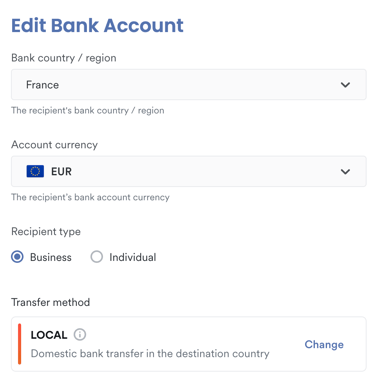
4. Save Changes
-
Click the Save button to apply your updates.
- You’re all done!